Picking an ERP isn’t about finding the software with the longest feature list.
Here’s the thing: a five-person distributor and a 5,000-person multinational both technically “need ERP.” But they need completely different systems. Give the five-person shop an Oracle Fusion deployment and you’ll bury them in governance overhead. Give the multinational Odoo and it’ll crack under the weight within two years.
So instead of ranking everything on one scale, we broke this list down by what each platform actually does well. Manufacturing. Finance. Multi-branch retail. Global compliance. You name it.
Here’s what’s in this guide:
- A quick comparison table for all 37 platforms
- A full breakdown of each one: pricing, features, pros, cons, who it fits
- A practical framework for choosing based on your size, industry, and budget
- Straight answers to the questions people actually search for
One note before we jump in: pricing for most enterprise ERPs is negotiated, not published. Where a vendor doesn’t publish pricing, we’ve said so instead of guessing.
Let’s dive right in.
Quick Comparison Table
| Rank | ERP | Best For | Starting Price | Deployment | Company Size |
|---|---|---|---|---|---|
| 1 | TwoWorks ERP | Growing businesses wanting one connected system | Custom pricing | Cloud | SMB |
| 2 | SAP S/4HANA Cloud | Global enterprises | $180/user/mo | Cloud | Mid-market / Enterprise |
| 3 | Oracle NetSuite | Scaling mid-market | $999/mo + $99/user/mo | SaaS | SMB / Mid-market |
| 4 | Microsoft Dynamics 365 Business Central | Microsoft-first companies | $80/user/mo | SaaS / On-prem | SMB / Mid-market |
| 5 | Odoo | Budget-conscious SMBs | $24.90/user/mo | SaaS / Open-source | Startup / SMB |
| 6 | SAP Business One | SMB manufacturing | ~$95/user/mo | Cloud / On-prem | SMB |
| 7 | Acumatica | High user counts | Custom | Cloud | Mid-market |
| 8 | Microsoft Dynamics 365 Finance | Large enterprises | $210/user/mo | Cloud | Enterprise |
| 9 | Oracle Fusion Cloud ERP | Multinationals | Custom | Cloud | Enterprise |
| 10 | ERPNext | Startups and developers | Free (self) / $50/mo (cloud) | Cloud / Open-source | Startup / SMB |
| 11 | Epicor Kinetic | Discrete manufacturing | Custom | Cloud / On-prem | Mid-market |
| 12 | Sage Intacct | Finance-first teams | Custom | Cloud | Mid-market |
| 13 | Infor CloudSuite | Complex supply chains | Custom | Cloud | Enterprise |
| 14 | IFS Cloud | Asset-heavy industries | $100/user/mo | Cloud | Mid-market / Enterprise |
| 15 | SYSPRO | Manufacturing/distribution | $75/user/mo | Cloud / On-prem | Mid-market |
| 16 | Workday | Services and HR-centric orgs | Custom | Cloud | Enterprise |
| 17 | TallyPrime | Indian SMBs | ₹22,500 + GST (one-time) | On-prem / Cloud | Startup / SMB |
| 18 | Zoho One | Startups | $37/user/mo | SaaS | Startup / SMB |
| 19 | Katana Cloud Manufacturing | Maker and DTC brands | $99/mo | SaaS | Startup / SMB |
| 20 | Cin7 Core | Omnichannel retail | $349/mo | SaaS | SMB |
| 21 | Priority ERP | Scalable mid-market | $60/user/mo | Cloud | Mid-market |
| 22 | ERPAG | Small manufacturers | $25/mo | SaaS | Startup / SMB |
| 23 | Brightpearl | High-volume retail | Custom | SaaS | Mid-market |
| 24 | Infor M3 | Process manufacturing | Custom | Cloud | Enterprise |
| 25 | Sage X3 | Global distributors | $100/user/mo | Cloud / On-prem | Mid-market |
| 26 | QAD Adaptive ERP | Global manufacturers | $90/user/mo | Cloud | Mid-market / Enterprise |
| 27 | Epicor Prophet 21 | Wholesale distributors | $75/user/mo | Cloud / On-prem | Mid-market |
| 28 | Certinia | Professional services (Salesforce) | $100/user/mo | SaaS | Mid-market |
| 29 | Unit4 ERP | People-centric orgs | $95/user/mo | Cloud | Mid-market |
| 30 | Plex Systems | Smart manufacturing | Custom | Cloud | Mid-market |
| 31 | Deltek Maconomy | Commercial agencies | Custom | Cloud | Mid-market |
| 32 | MRPeasy | Small discrete MRP | Custom | SaaS | SMB |
| 33 | SAP Business ByDesign | Mid-market subsidiaries | $120/user/mo | Cloud | Mid-market |
| 34 | Aptean | Food and beverage | Custom | Cloud | Mid-market |
| 35 | JD Edwards EnterpriseOne | Legacy heavy industry | Custom | On-prem / Cloud | Enterprise |
| 36 | Microsoft Dynamics GP | Legacy accounting | Custom | On-prem | SMB |
| 37 | abas ERP | Custom manufacturers | Custom | Cloud / On-prem | Mid-market |
1. TwoWorks ERP
Best for: Growing businesses that want to run sales, purchasing, inventory, manufacturing, finance, quality, and maintenance from one connected system instead of five disconnected tools.
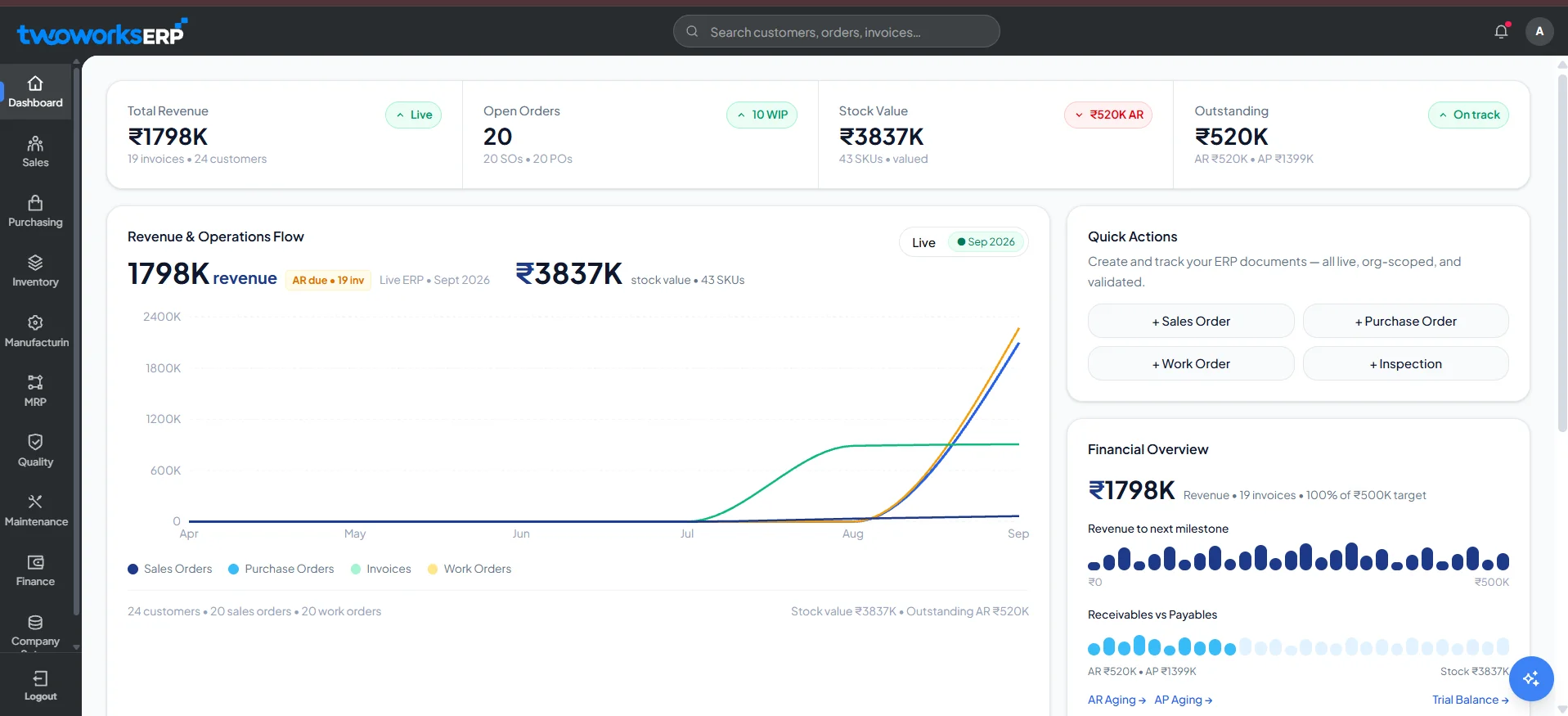
TwoWorks ERP is built around a simple idea: your shop floor and your management team should be looking at the same numbers in real time. Instead of bolting on separate apps for accounting, inventory, and production, it puts all of it in one platform.
Here’s what that looks like in practice. The system ships with 9+ integrated modules covering the full operational stack: Sales & POS, Purchasing, Inventory & Warehouse, Manufacturing, MRP, Quality Management, Maintenance, Finance & Accounting, and Company Management. It’s positioned for 12+ industry verticals, with named focus areas in manufacturing, retail and trade, construction, distribution and logistics, food and beverage, healthcare, textiles, and services.
A quick note on transparency: TwoWorks doesn’t publish pricing, a full integrations list, or detailed AI specifications on its site. So we’re not going to invent numbers to make this entry look more complete than it is. Where information isn’t public, we’ve marked it “not publicly disclosed” instead of guessing. That’s true of this entry and it should be true of any ERP review you read.
What’s inside each module
Sales & POS handles the full sales lifecycle. Quotations, sales orders, invoices, returns, customer accounts, revenue tracking, and point-of-sale transactions, all with real-time visibility into orders and revenue.
Purchasing covers requests, vendor management, supplier comparison, purchase orders, vendor bills, delivery tracking, and approval workflows.
Inventory & Warehouse supports multi-warehouse stock, batch and serial-number tracking, reorder points, stock valuation, and real-time sync across warehouse hubs.
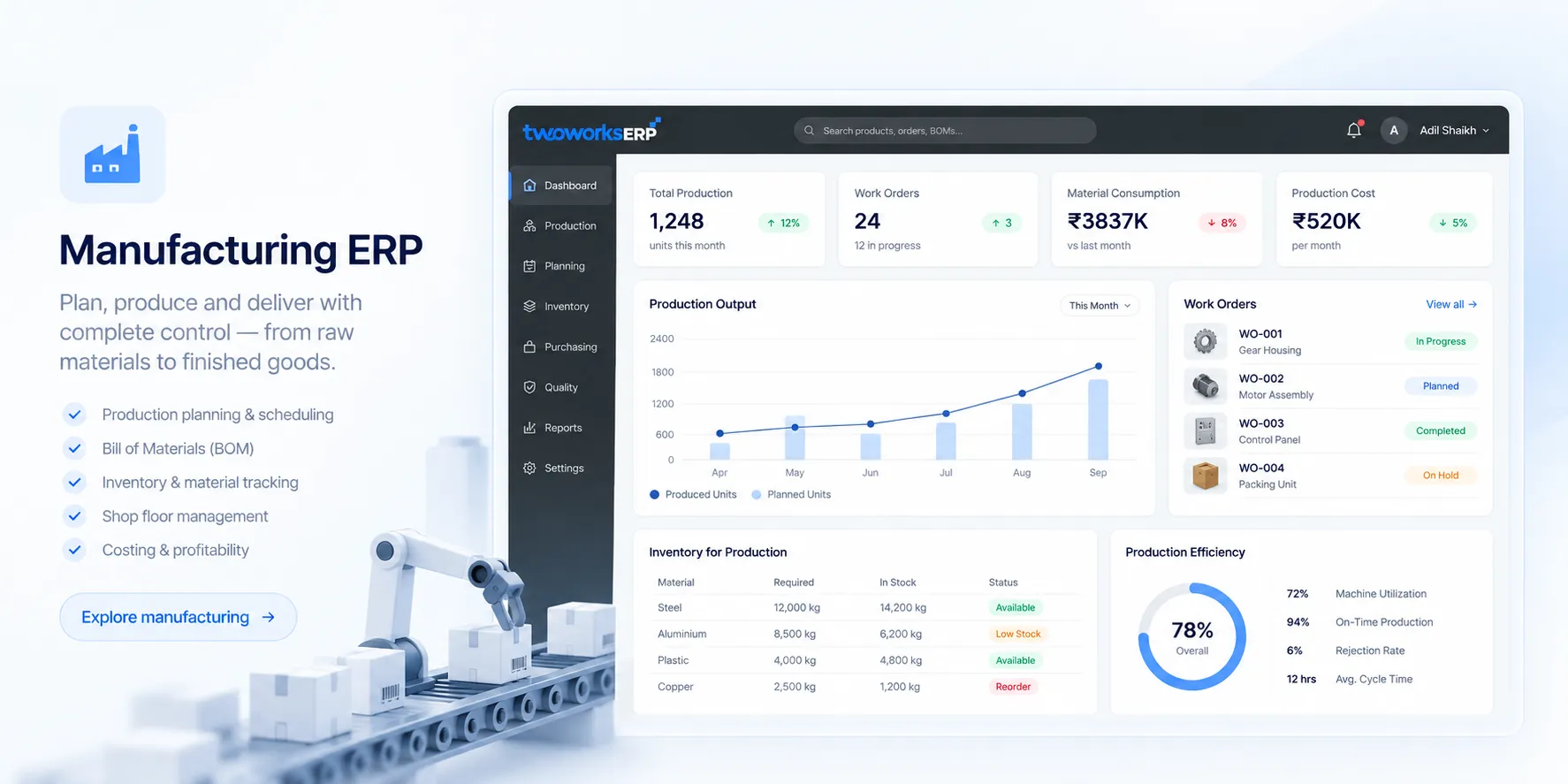
Manufacturing includes production orders, Bills of Materials, work-in-progress tracking, shop-floor operations, and production planning. It’s built for both discrete and process manufacturing.
MRP plans material requirements, schedules production, and can generate purchase orders automatically based on what’s actually needed. That’s the difference between reactive buying and planned buying.
Quality Management covers checkpoints, inspections, non-conformance tracking, and traceability from production through delivery.
Maintenance handles preventive maintenance, equipment downtime, repair work orders, and asset lifecycle tracking.
Finance & Accounting runs on double-entry accounting with a full chart of accounts, journal management, P&L statements, balance sheets, bank reconciliation, and audit-ready records.
Company Management supports multi-branch and multi-company setups, with user roles, permissions, fiscal years, branch-specific accounts, and consolidated group-level visibility.
Pricing
Custom pricing. Contact TwoWorks directly for a quote.
Best features
- Real-time inventory sync across multiple warehouses
- Double-entry accounting with automated bank reconciliation
- MRP with automated purchase-order generation
- Multi-branch POS with dynamic barcoding
- Custom workflows built without touching the core engine
- Audit logs and GST/e-invoicing support
Pros
- Consolidates sales, inventory, manufacturing, and finance into one system instead of stitching together point solutions
- Covers the full operational loop, not just accounting: quality and maintenance are included, which many SMB ERPs skip
- Comes with dedicated one-to-one engineering support for architecture, data-schema customization, and workflow triggers, rather than a self-serve-only setup
- Configurable for industries beyond the ones explicitly listed
Cons
- Pricing isn’t published, so you’ll need to go through a sales conversation to get a number
- Detailed public documentation on AI capabilities and third-party integrations is limited right now
- Independent third-party reviews (G2, Capterra) are thinner than long-established players like NetSuite or Odoo, since it’s a newer entrant
AI & automation: Not publicly disclosed in detail.
Integrations: Not publicly disclosed in detail.
Deployment: Cloud/SaaS and on-premise, depending on the customer’s infrastructure and compliance needs.
Implementation: The vendor states that a standard deployment covering core modules typically takes 4 to 8 weeks, including data migration, user training, and go-live support. Timeline varies with the number of modules and business complexity.
Company size: SMB and mid-market.
Industries: Manufacturing, retail and trade, construction, distribution and logistics, food and beverage, healthcare, textiles and garments, and services and consulting. The vendor states the platform can be configured for other industries on request.
Customers named on the vendor’s site: Oswal Pumps, OneEnergy Clean Power Solutions, StarCool India, Tarvaa, IMech, and Apex Technologies. The vendor’s site states it’s used by 500+ businesses globally.
Official website: twoworks.co
2. SAP S/4HANA Cloud
Best for: Global enterprises and large mid-market organizations that need standardized, intelligent process automation.
S/4HANA is the flagship enterprise ERP standard, built natively on SAP's in-memory HANA database. It comes in Public and Private Cloud editions, and SAP pushes the Public Cloud edition hard through its "GROW with SAP" program, aimed at mid-market companies that want a fast, standardized rollout.
The big 2026 story here is Joule, SAP's AI copilot, which now runs multi-agent orchestration to resolve financial discrepancies, generate automated accruals, and match intercompany transactions without someone clicking through each step manually.
Pricing
Public Cloud starts at $180/user/month. Private Cloud is a custom quote, typically $2,000 to $5,000+ per Full-Use Equivalent per year. Implementation runs $150K to $600K for mid-market deployments, and climbs into the millions at enterprise scale.
Best features
- Agentic AI (Joule) for autonomous financial workflows
- In-memory HANA database for real-time processing
- Advanced financial closing and consolidation
- Two-tier ERP support for subsidiaries
- Predictive MRP and supply chain optimization
Pros
- Deep global financial compliance and multi-currency handling
- Joule can execute multi-step tasks, not just answer questions
- The "clean-core" public cloud model keeps upgrades painless
Cons
- Public cloud allows very little custom ABAP code
- Implementation costs are out of reach for smaller companies
- Steep learning curve for teams coming from legacy systems
3. Oracle NetSuite
Best for: Mid-market companies in the $10M to $100M+ range that have outgrown entry-level accounting software.
NetSuite basically invented the cloud-native ERP category and still dominates the mid-market. It's modular by design. Start with financials, then turn on inventory, e-commerce, or CRM as you scale.
The 2026.1 release added AI-generated narrative reporting, so instead of just staring at a dashboard, you get plain-language context around inventory risk and financial anomalies. It also introduced AI-assisted bank reconciliation that cuts down manual ledger matching significantly.
Pricing
Roughly $999/month base platform fee plus $99/user/month. Advanced modules cost extra. Implementation typically runs $25,000 to $100,000+.
Best features
- Multi-entity consolidation via NetSuite OneWorld
- AI-generated narrative insights
- Integrated CRM and SuiteCommerce
- Advanced revenue recognition (ASC 606)
- Customizable role-based dashboards
Pros
- True native cloud architecture with seamless updates
- Huge SuiteApp ecosystem for industry-specific extensions
- Strong multi-currency, multi-subsidiary management
Cons
- Pricing is opaque, and renewals often jump significantly
- Per-module pricing can push total cost up fast
- Implementation needs certified partners, which adds cost
4. Microsoft Dynamics 365 Business Central
Best for: SMBs and mid-market companies already living inside Microsoft 365.
Business Central is the modern evolution of Dynamics NAV, and it's built to sit right next to Teams, Outlook, and Excel. You can approve a purchase order or check inventory status from inside your inbox without opening a separate app.
Copilot is deeply embedded here now. It automates data entry, writes product descriptions for e-commerce listings, and lets you query financial records in plain English.
Pricing
Essentials tier: $80/user/month. Premium tier (adds manufacturing/service management): $110/user/month. Team Member licenses (read/approve access): $8/user/month. Implementation: $25,000 to $75,000+.
Best features
- Native Microsoft 365, Teams, and Outlook integration
- Copilot for text generation and forecasting
- Warehouse and inventory management
- Manufacturing execution (Premium tier)
- Embedded Power BI analytics
Pros
- Transparent, predictable per-user pricing
- Cheap Team Member licenses lower total cost significantly
- Familiar UI speeds up user adoption
Cons
- Heavily reliant on third-party partners (VARs) for implementation
- Custom extensions require AL coding expertise
- Can overwhelm very small businesses without structured IT processes
5. Odoo
Best for: Budget-conscious startups and SMBs that want to add apps one at a time instead of buying a monolith upfront.
Odoo runs on a unique model: 80+ integrated business apps, from accounting and inventory to point-of-sale and website building. Start with one app for free, then expand as your operation grows. The Community edition is free and open-source; the Enterprise edition unlocks the full ERP stack and official support.
Pricing
One App Free: $0. Standard: $24.90/user/month (all apps, Odoo Online). Custom: $49/user/month (adds Odoo Studio and multi-company support).
Best features
- 80+ natively integrated apps
- Built-in website builder and e-commerce
- Inventory, WMS, and MRP
- Odoo Studio for no-code customization
- Integrated POS
Pros
- Aggressive, transparent pricing
- Huge breadth of apps covering nearly every business function
- Modern, intuitive interface
Cons
- Heavy customization of the open-source code can create technical debt fast
- Support quality on the standard tier gets mixed reviews
- Version migrations get messy if you have customized heavily
6. SAP Business One
Best for: Small to mid-sized manufacturers and distributors that want SAP-grade discipline without the S/4HANA price tag.
Business One is SAP's dedicated SMB product, aimed at companies under roughly 500 employees. It's not a stripped-down S/4HANA. It's a separate codebase built for tighter, more affordable control over MRP, inventory, sales, and multi-currency finance.
Pricing
Cloud subscriptions from roughly $95/user/month. Perpetual on-premise licenses start around €2,700 to €3,213 per professional user, plus about 22% annual maintenance. Implementation averages $20,000 to $100,000.
Best features
- Comprehensive MRP
- Multi-currency, multi-entity financials
- BOM and production routing
- Advanced bin location and warehouse tracking
- SAP HANA embedded analytics
Pros
- Brings enterprise-level process discipline to small businesses
- Massive, experienced global partner network
- Predictable cloud subscription pricing
Cons
- The interface feels dated next to modern SaaS competitors
- Advanced industry features often need third-party add-ons
- Not a direct technical path to S/4HANA later (different codebase entirely)
7. Acumatica
Best for: Mid-market companies with a lot of users who don't want licensing costs to punish them for granting access.
Acumatica's whole pitch is the pricing model. Instead of charging per seat, it licenses based on computing resources and transaction volume. That means you can give warehouse staff, field techs, and even external vendors system access without your bill exploding.
Pricing
Custom quote, consumption-based. Typical total cost: $75K to $350K. Monthly software cost for a mid-market deployment usually lands around $5,500 to $6,500.
Best features
- Unlimited-user licensing model
- Industry editions for construction, manufacturing, distribution, retail
- Advanced inventory and WMS
- Complex project accounting and billing
- Open API for fast integrations
Pros
- No per-user penalty encourages company-wide adoption
- Strong, responsive mobile app
- Flexible, customizable workflow engine
Cons
- Pricing jumps sharply once transaction volume or storage grows
- Implementation and support depend entirely on resellers
- Less global brand recognition than NetSuite
8. Microsoft Dynamics 365 Finance
Best for: Large enterprises and multinationals that need deep financial control across many countries and entities.
This is Microsoft's top-tier enterprise ERP, usually paired with D365 Supply Chain Management. It's heavily wired into Azure and Microsoft's AI stack, which turns it into an engine for predictive finance, automated collections, and risk management.
Pricing
Starting at $210/user/month. Implementation: $150K to over $1M.
Best features
- Global multi-entity financial consolidation
- Copilot AI for finance tasks
- Automated credit, collections, and cash flow forecasting
- Advanced subscription and recurring billing
- Integrated expense management
Pros
- Seamless with Azure, Power Platform, and Microsoft 365
- Scales well for global enterprises
- Strong embedded Power BI analytics
Cons
- High licensing and implementation cost
- Needs mature internal IT governance to run well
- Supply chain and commerce modules are separately licensed
9. Oracle Fusion Cloud ERP
Best for: Multinational corporations that want finance, HR, and supply chain running on one data model.
Oracle went all-in on agentic AI here. Release 26B shipped over 600 embedded AI agents (Ledger Agent, Payables Agent, Expenses Agent, and more), which actively execute work across finance, procurement, and HR instead of just answering questions about it.
Pricing
Custom quote. Typical enterprise total cost: $400K to $3M+.
Best features
- 600+ Oracle AI Agents across finance, procurement, HR
- Enterprise Performance Management (EPM) integration
- Advanced procurement and sourcing optimization
- Global risk and compliance tracking
- Project portfolio management
Pros
- The deepest agentic AI capability on this list, full stop
- Single unified data model across ERP, HCM, and SCM
- Built on Oracle Cloud Infrastructure, so it scales and secures well
Cons
- Multi-year implementation cycles
- Total cost puts it out of reach below enterprise scale
- Rigid outside standard configuration parameters
10. ERPNext
Best for: Startups and developer-heavy teams that want full control over a 100% open-source ERP.
Built on the Frappe framework, ERPNext covers accounting, HR, manufacturing, and CRM. Because it's fully open-source, you can self-host it and pay nothing in licensing, provided your team can handle the setup and maintenance.
Pricing
$0 self-hosted. Frappe Cloud managed hosting starts around $50/month. Typical total cost for managed deployments: $0 to $30K.
Best features
- 100% open-source
- Integrated HR, payroll, recruitment
- Manufacturing and MRP
- Native website and portal builder
- Asset and project management
Pros
- Zero licensing cost when self-hosted
- Highly customizable through Python and JavaScript
- Clean, modern interface
Cons
- Smaller global implementation-partner network than commercial ERPs
- Self-hosting needs solid internal IT infrastructure and security practices
- Docs get thin for advanced, niche configurations
11. Epicor Kinetic
Best for: Discrete and industrial manufacturers that need real shop-floor control, not just a finance module with a manufacturing label on it.
Kinetic handles complex, multi-level BOMs, work-in-progress tracking, and strict quality control. It connects directly to shop-floor machinery, PLCs, and IoT devices to pull production data in real time, which matters a lot for Industry 4.0 setups.
Pricing
Custom quote. Baseline estimate: $100/user/month. Typical mid-market total cost: $100K to $500K.
Best features
- Advanced Manufacturing Execution System (MES)
- Complex BOM and routing management
- Product Lifecycle Management (PLM)
- Direct IoT and machine integration
- Advanced planning and scheduling
Pros
- Deep, nuanced functionality for discrete manufacturing
- Real shop-floor visibility and labor tracking
- Flexible cloud or on-prem deployment
Cons
- Interface complexity remains an issue for non-technical users despite the Kinetic redesign
- Custom pricing means no market transparency
- Upgrading from legacy Epicor versions can be technically painful
12. Sage Intacct
Best for: Finance and accounting teams that need advanced financial reporting without a full operational ERP.
Intacct is built around a multi-dimensional general ledger, which lets finance teams slice and dice data in ways a flat ledger can't. It intentionally skips heavy manufacturing and supply chain modules, but its open API connects cleanly to specialized operational software.
Pricing
Custom quote. Core financials typically start around $400/user/month for power users. Total cost: $50K to $200K.
Best features
- Multi-dimensional general ledger
- ASC 606 revenue recognition
- Subscription billing and deferred revenue
- Automated multi-entity, multi-currency consolidation
- Customizable financial reporting dashboards
Pros
- Best-in-class financial reporting
- The only ERP preferred by the AICPA
- Open API integrates cleanly with CRM and HR platforms
Cons
- Not a full operational ERP: weak native inventory and manufacturing
- Requires certified Sage partners to implement
- Module-based pricing can climb as needs grow
13. Infor CloudSuite
Best for: Enterprise manufacturers and complex supply chains that want industry-specific functionality out of the box.
Infor CloudSuite isn't one ERP. It's a family of micro-vertical platforms (CloudSuite Industrial, Automotive, Food & Beverage, and more), built on AWS and pre-configured for specific industry workflows. That means less custom coding than a generic ERP would need.
Pricing
Custom quote. Typical enterprise total cost: $300K to $2M+.
Best features
- Deep industry-specific configurations
- Infor OS integration and workflow platform
- Embedded Birst analytics
- Advanced supply chain planning and execution
- Enterprise Asset Management (EAM)
Pros
- Cuts down custom coding thanks to micro-vertical design
- Modern interface (Infor Ming.le)
- Backed by AWS scale and security
Cons
- High total cost restricts this to larger organizations
- The partner and product ecosystem is complex to navigate
- Pricing is completely opaque without a direct sales conversation
14. IFS Cloud
Best for: Asset-heavy industries that need field service management and enterprise asset management tightly integrated with ERP, not bolted on.
IFS combines ERP, EAM, and FSM into one composable platform on a single codebase, rather than stitching together acquired products. That matters a lot for companies where maintaining heavy equipment or managing field technicians is core to the business.
Pricing
Starting around $100/user/month. Total cost: $200K to $1M+.
Best features
- Native, best-in-class Field Service Management
- Comprehensive Enterprise Asset Management
- Project-based manufacturing controls
- Advanced service scheduling optimization
- Built-in ESG and sustainability tracking
Pros
- One unified platform, not acquired software bolted together
- Strong field service and asset management
- Twice-yearly evergreen updates keep the software current
Cons
- Overkill for standard retail or simple discrete manufacturing
- Niche operational focus narrows its appeal for general accounting needs
- Needs specialized, industry-specific consultants to implement
15. SYSPRO
Best for: Mid-market manufacturers and distributors that want deep inventory, traceability, and production control without enterprise-level complexity.
SYSPRO stays focused. No generalized service or retail push, just manufacturing and distribution, done deeply. It's known for high customer retention and a strong understanding of floor-level operational realities.
Pricing
Starting at $75/user/month. Total cost: $50K to $250K.
Best features
- Granular lot and serial traceability
- Advanced inventory forecasting
- Engineering change control
- Lean manufacturing support
- Actionable Insights dashboard
Pros
- Sharp focus on manufacturing and distribution
- Scales well with production volume
- Strong customer retention and support satisfaction
Cons
- No native HR or payroll modules
- Interface still feels rigid despite recent improvements
- Smaller third-party integration ecosystem than NetSuite
16. Workday
Best for: Large, people-centric organizations that want HR and finance running as one unified system instead of two systems that barely talk to each other.
Workday disrupted the legacy ERP market by fusing deep HCM with financial management from day one. After acquiring Sana for $1.1B, it pushed hard into agentic AI for predictive financial forecasting, continuous accounting, and HR automation.
Pricing
Custom quote, typically based on full-time-equivalent employee count rather than system users. Mid-market deployments often run $100K to $300K annually. Total enterprise cost: $300K to $2M+.
Best features
- Unified HCM and general ledger
- Workday Adaptive Planning
- Agentic AI (Sana) for process automation
- Continuous accounting and automated period close
- Advanced procurement and spend management
Pros
- Best-in-class HR and finance integration
- High user satisfaction on reporting and data visualization
- Scales across countries and legal entities with ease
Cons
- No public pricing transparency, and implementation gets expensive fast
- No native manufacturing, MRP, or heavy supply chain modules
- Needs complex internal IT and HR governance to run well
17. TallyPrime
Best for: Indian startups and SMBs that need GST, e-invoicing, and local accounting compliance to just work, out of the box.
TallyPrime is the dominant name in Indian SMB accounting, trusted by over 2.5 million businesses. It's built around fast, keyboard-first data entry, and while it's known mainly for accounting, its inventory, payroll, and banking features push it into lightweight ERP territory.
Pricing
Silver (single user): ₹22,500 + 18% GST, one-time. Gold (multi-user LAN): ₹67,500 + 18% GST. Annual renewal for updates: ₹4,500 (Silver) or ₹13,500 (Gold). Cloud subscription option starts around ₹750/month.
Best features
- Out-of-the-box Indian GST and e-invoicing compliance
- Direct e-way bill generation
- Multi-godown inventory tracking
- Keyboard-first rapid data entry
- Offline functionality with optional cloud access
Pros
- Extremely cost-effective one-time licensing
- Unmatched, hyper-local Indian statutory compliance
- Near-instant setup for basic accounting
Cons
- Not a true enterprise ERP: no complex MRP, CRM, or supply chain routing
- Interface remains heavily ledger-centric
- Limited native API integrations with global SaaS tools
18. Zoho One
Best for: Startups and SMBs that want a full suite of business apps at a price that doesn't require a budget meeting.
Zoho One bundles access to 45+ Zoho apps, including Zoho Books, Zoho CRM, Zoho Inventory, and Zoho Projects, under one subscription. It connects front-office sales and marketing to back-office finance and inventory, which is a lot of utility for a small business budget.
Pricing
$37/user/month, all-employee pricing (requires licensing every employee), billed annually. Flexible per-user plans run up to $105/user/month.
Best features
- 45+ natively integrated apps
- Seamless Zoho CRM and Zoho Books integration
- Zoho Creator for low-code app building
- Unified cross-app analytics dashboard
- Automated cross-app workflow builder
Pros
- Strong value, replacing dozens of separate subscriptions
- Smooth data flow between front and back office
- Modern, intuitive interface
Cons
- Broad but not deep: lacks the enterprise depth of NetSuite or S/4HANA
- Support can be slow on the standard tier
- Lowest pricing tier requires licensing every employee
19. Katana Cloud Manufacturing
Best for: Maker businesses and DTC brands selling through Shopify or WooCommerce that need live production visibility.
Katana is a visual MRP system built to bridge e-commerce sales and shop-floor production. Its drag-and-drop scheduling board is genuinely easy to pick up, which matters for small teams without a dedicated ops person.
Pricing
$99 to $179/month, with higher tiers scaling by feature depth and floor operator seats.
Best features
- Visual, drag-and-drop production planning
- Real-time inventory allocation for sales orders
- Multilevel BOM support
- Omnichannel order management
- Mobile app for shop-floor workers
Pros
- Genuinely easy to learn, minimal training needed
- Native integration with Shopify, WooCommerce, and accounting tools
- Fast implementation: 2 to 6 weeks
Cons
- Relies entirely on QuickBooks or Xero for accounting, not a standalone financial ERP
- No deep WMS features like wave picking or cross-docking
- Not built for heavy process manufacturing
20. Cin7 Core
Best for: Omnichannel retailers and B2B wholesalers who need inventory synced across every sales channel so nothing gets oversold.
Formerly DEAR Systems, Cin7 Core handles businesses selling simultaneously through B2B wholesale, B2C e-commerce, and physical POS, keeping stock levels accurate across all of it.
Pricing
Standard: $349/month. Pro: $599/month. Advanced: $999/month.
Best features
- Advanced multi-channel inventory sync
- Integrated B2B e-commerce portal
- Lightweight manufacturing and kitting
- Advanced warehouse routing and location tracking
- Integrated POS
Pros
- Fast, reliable sync with major e-commerce platforms
- Handles complex kitting, assembly, and disassembly
- Strong B2B wholesale features out of the box
Cons
- Needs Xero or QuickBooks for a full general ledger
- $349/month entry price is steep for early-stage startups
- Support wait times vary by tier
21. Priority ERP
Best for: Scalable mid-market companies that want fast implementation and flexibility without Tier-1 complexity.
Priority is a flexible, modular ERP with traction in manufacturing, services, and retail. Its mobile app generator stands out. It lets companies build custom mobile workflows for staff without a dedicated dev team.
Pricing
Starting at $60/user/month. Total cost: $40K to $200K.
Best features
- Mobile ERP application generator
- Comprehensive financial management
- Integrated supply chain and CRM
- Open REST APIs
- Project and customer service management
Pros
- Faster implementation than industry averages
- Low total cost of ownership
- Strong mobile capabilities for remote and field workers
Cons
- Smaller global footprint than NetSuite or SAP
- Interface leans utilitarian rather than modern
- Fewer out-of-the-box integrations with niche SaaS tools
22. ERPAG
Best for: Small manufacturers and job shops that outgrew spreadsheets but can't justify traditional ERP overhead.
ERPAG covers sales, purchasing, inventory, and manufacturing in the cloud, with more depth than the price suggests: barcode scanning, multi-level BOMs, and job costing all included.
Pricing
$25/month for basic plans, up to $49/user/month for standard deployment.
Best features
- Bill of Materials management
- Native barcode scanning and ticket generation
- Job costing and time tracking
- Integrated B2B customer portal
- Dropshipping and maintenance workflows
Pros
- Affordable enough for micro-manufacturers
- Short learning curve
- Solid inventory traceability for the price point
Cons
- Lacks the accounting depth of standalone financial software
- Interface is fairly basic
- Fewer native third-party integrations than premium competitors
23. Brightpearl
Best for: High-volume retail and e-commerce merchants who need post-purchase operations automated, not managed by hand.
Acquired by Sage, Brightpearl calls itself a "Retail Operating System" rather than a traditional ERP. It's built entirely around automating what happens after checkout: order routing, fulfillment, and accounting, for merchants processing order volumes that would break a manual process.
Pricing
Custom quote, heavily volume-based rather than purely per-user.
Best features
- High-volume order routing automation
- Real-time retail accounting
- Advanced inventory planning and allocation
- Demand forecasting
- Supplier purchasing management
Pros
- Built specifically for retail and e-commerce workflows
- Handles very high transaction volumes without breaking
- Deep integrations with Shopify Plus and BigCommerce
Cons
- Pricing scales with volume, which can get expensive fast for growing merchants
- Not suited for any form of manufacturing
- Narrow functionality outside the retail/wholesale niche
24. Infor M3
Best for: Global process manufacturers and complex distributors that need heavy compliance and multi-site control.
M3 is built for companies that make, move, or maintain products, with particular strength in process manufacturing like chemicals and food. It handles multi-site, multi-country operations and deep equipment lifecycle management.
Pricing
Custom quote. Total cost: $250K to $1.5M.
Best features
- Process manufacturing controls (formulas and recipes)
- Multi-site and multi-company planning
- Equipment lifecycle and maintenance management
- Deep lot traceability and regulatory compliance
- Infor OS integration platform
Pros
- Strong functional depth for chemical and food manufacturing
- Solid global architecture for multinational supply chains
- Reliable for complex equipment maintenance
Cons
- Expensive, multi-year implementation cycles
- Steep learning curve from the sheer feature depth
- Needs highly specialized IT governance
25. Sage X3
Best for: Mid-market process manufacturers and distributors that need global compliance without Tier-1 complexity.
Sage X3 sits between upper mid-market and enterprise. It handles recipes, formulas, and catch-weight tracking well, making it a more agile alternative to SAP S/4HANA for specialized manufacturers.
Pricing
Starting at $100/user/month. Total cost: $100K to $400K.
Best features
- Recipe, formula, and catch-weight management
- Integrated quality control
- Multi-company, multi-currency financials
- Strict lot traceability and recall management
- Customizable visual workflow engine
Pros
- More cost-effective and agile than Tier-1 process ERPs
- Highly customizable workflow engine
- Strong fit for regulated environments like FDA compliance
Cons
- Needs experienced partners to implement well
- Interface is functional but visually dated
- Not ideal for simple, non-manufacturing businesses
26. QAD Adaptive ERP
Best for: Global manufacturers in fast-moving, regulated industries like automotive and life sciences.
QAD has deep roots in automotive and medical device manufacturing. Its "Adaptive" architecture is built to react fast to supply chain disruptions, with built-in compliance for standards like MMOG/LE.
Pricing
Starting at $90/user/month. Total cost: $150K to $600K.
Best features
- Automotive MMOG/LE compliance tools
- Advanced Quality Management Systems
- Global supply chain planning
- Serialization and track-and-trace
- Lean manufacturing support
Pros
- Out-of-the-box compliance for automotive and medical manufacturing
- Reliable global support network
- Focused purely on manufacturing, no bloat
Cons
- Extreme niche focus limits appeal outside its core industries
- UI modernization is still a work in progress
- Needs deep industry-specific consulting to implement
27. Epicor Prophet 21
Best for: Wholesale distributors that need serious inventory, pricing, and warehouse optimization.
Prophet 21 is Epicor's distribution-specific ERP. It streamlines order entry, dynamic pricing matrices, wireless warehouse management, and automated purchasing, all built for distributors specifically, not adapted from a generic ERP.
Pricing
Starting at $75/user/month. Total cost: $60K to $300K.
Best features
- Advanced, dynamic pricing matrices
- Wireless warehouse management
- Dynamic inventory replenishment algorithms
- Counter sales and POS
- Order routing and fulfillment
Pros
- Purpose-built for the nuances of distribution
- Strong inventory forecasting reduces carrying costs
- Stable, reliable architecture
Cons
- Not suited for heavy manufacturing or complex assembly
- Implementation workflows can be rigid
- Interface feels utilitarian
28. Certinia
Best for: Professional services firms already running Salesforce CRM.
Formerly FinancialForce, Certinia is built natively on Salesforce. It handles core financials, Professional Services Automation, and customer success, all on the same data model as your Salesforce CRM, which kills the usual friction between sales and billing.
Pricing
Starting at $100/user/month. Total cost: $100K to $500K.
Best features
- Native Salesforce platform integration
- Advanced resource management and capacity planning
- Project accounting and profitability tracking
- Subscription and usage-based billing
- Shared dashboards with Salesforce CRM
Pros
- Single data model with Salesforce means no data integrity gaps
- Strong fit for project-based businesses and consulting firms
- Highly customizable using standard Salesforce tools
Cons
- Only makes sense if you're already on Salesforce
- Lacks manufacturing, inventory, or complex supply chain capability
- Salesforce storage costs can add up fast
29. Unit4 ERP
Best for: Service and project-based organizations that go through frequent structural change.
Unit4 is built for service organizations, not product companies. Its "elastic" architecture handles restructuring and new reporting requirements without a heavy IT project every time something changes.
Pricing
Starting at $95/user/month. Total cost: $100K to $500K.
Best features
- Wanda AI digital assistant
- Deep project costing and billing
- Adaptable financial reporting
- Human capital management and talent tracking
- Grant management for non-profits
Pros
- Built specifically for service and public-sector complexity
- Adaptable architecture keeps long-term maintenance costs down
- Modern, intuitive user experience
Cons
- Not a fit for product-centric manufacturing or distribution
- Smaller presence in North America than Europe
- Limited integrations with industrial software
30. Plex Systems
Best for: Smart manufacturing facilities and automotive suppliers that need MES capability built into the ERP, not layered on top.
Now owned by Rockwell Automation, Plex is a multi-tenant cloud ERP with heavy emphasis on Manufacturing Execution Systems and quality control, connecting top-floor financials directly to shop-floor machines.
Pricing
Custom pricing, generally scaled to plant size and revenue.
Best features
- Native Manufacturing Execution System
- Real-time production tracking and machine integration
- Integrated quality management and statistical process control
- Supply chain planning
- Tooling and maintenance tracking
Pros
- Connects directly to PLCs and shop-floor hardware out of the box
- Cloud-native from the start, so no version lock-in
- Strong quality control mechanisms favored in automotive
Cons
- Data-heavy interface can overwhelm casual users
- Pricing tied to production volume/revenue, which is hard to estimate upfront
- Not built for non-manufacturing businesses
31. Deltek Maconomy
Best for: Commercial agencies, CPA firms, and professional services that live and die by project profitability.
Maconomy is built for project-based businesses, with heavy focus on resource planning, accurate time tracking, and granular profitability analysis per client engagement.
Pricing
Custom pricing.
Best features
- Granular project financial management
- Resource optimization and capacity planning
- Advanced time and expense tracking
- Client billing and revenue recognition
- Work-in-progress analytics
Pros
- Workflows designed around how agencies actually operate
- Deep project analytics for strict margin control
- Highly configurable billing engines
Cons
- Steep learning curve coming from simple accounting tools
- No utility for product-based businesses
- Implementation needs significant internal process mapping
32. MRPeasy
Best for: Small discrete manufacturers that need lightweight, affordable production planning.
MRPeasy is cloud-based production planning software that plugs into QuickBooks or Xero. It's an affordable step up for micro-manufacturers moving off spreadsheets, without the bloat of a full ERP.
Pricing
Custom pricing, typically affordable tiers under $100/month.
Best features
- Visual production scheduling
- Inventory and raw material management
- BOM management
- Workstation capacity planning
- Shop-floor reporting interface
Pros
- Fast, easy implementation
- Very affordable for small shops
- Clear, intuitive interface for shop workers
Cons
- Needs external accounting software to function as a full business system
- Not built for complex process manufacturing or heavy industry
- Limited scalability for very large operations
33. SAP Business ByDesign
Best for: Fast-growing mid-market companies and corporate subsidiaries that want a "business in a box" SAP deployment.
ByDesign is SAP's mid-market cloud ERP, aimed at companies that want SAP reliability without S/4HANA's complexity. It's a common pick for two-tier setups, where subsidiaries run ByDesign while reporting up to a parent company's Tier 1 system.
Pricing
Starting at $120/user/month. Total cost: $100K to $400K.
Best features
- End-to-end suite across finance, CRM, HR, supply chain
- Native embedded analytics
- Pre-built two-tier ERP integration
- Project management
- Procurement and manufacturing
Pros
- Faster deployment than typical SAP timelines
- Predictable subscription costs
- Strong fit for unifying diverse subsidiaries
Cons
- SAP's R&D focus has shifted heavily toward S/4HANA Public Cloud
- Interface feels somewhat rigid and dated
- Less customization than private cloud solutions
34. Aptean
Best for: Food and beverage manufacturers that need strict compliance and traceability built in.
Aptean's Food & Beverage ERP (often built on the Microsoft Dynamics platform) handles the industry's specific headaches out of the box: catch weight management, lot traceability, and recipe formulation.
Pricing
Custom pricing.
Best features
- Catch weight and variable weight management
- Strict lot traceability and recall readiness
- Recipe formulation and QC testing
- Expiration date management
- Allergen tracking
Pros
- Solves food and beverage regulatory challenges immediately, out of the box
- Leverages Microsoft ecosystem familiarity for Dynamics-based versions
- Cuts compliance risk significantly
Cons
- Expensive implementation due to industry specialization
- Heavily dependent on specialized integration partners
- Can feel bloated for companies with simple operations
35. JD Edwards EnterpriseOne
Best for: Legacy heavy industry and asset-intensive manufacturing.
Now owned by Oracle, JD Edwards remains a highly customizable ERP favored by capital-intensive industries. Oracle has committed to supporting it through at least 2030, which matters a lot to its loyal, long-tenured user base.
Pricing
Custom pricing.
Best features
- Deep enterprise asset management
- Highly configurable manufacturing workflows
- Real estate and property management modules
- Financial management
- Supply chain execution
Pros
- Deep functionality for asset-heavy operations
- Intensely loyal user base with a stable, guaranteed roadmap
- Highly customizable for unique, complex processes
Cons
- Fundamentally legacy architecture, even when cloud-hosted
- Requires heavy, dedicated internal IT support
- Interface is functional but lacks modern SaaS polish
36. Microsoft Dynamics GP
Best for: Companies maintaining legacy accounting systems that aren't ready for a cloud migration.
Dynamics GP (formerly Great Plains) is a legacy on-premise ERP. Microsoft strongly steers new and existing customers toward Business Central, but GP is still widely used, mainly because its core financials are rock solid and many businesses are reluctant to migrate.
Pricing
Custom pricing, typically perpetual licensing.
Best features
- Core financial accounting
- Payroll processing
- Inventory management
- Business intelligence
- Fixed asset tracking
Pros
- Extremely stable and reliable
- Deeply familiar to experienced accounting teams
- No forced cloud updates disrupting customized workflows
Cons
- Approaching end of its lifecycle, with Microsoft limiting new innovation here
- Not cloud-native, so it requires internal server maintenance
- Missing modern AI and automation features found in newer platforms
37. abas ERP
Best for: Custom, make-to-order, and engineer-to-order manufacturers.
abas is built for the messy, highly variable requirements of custom manufacturing, where the BOM and routing change with every single order. That's exactly the kind of complexity rigid Tier-1 ERPs tend to struggle with.
Pricing
Custom pricing.
Best features
- Product configurator
- Advanced Planning and Scheduling
- Project management for custom builds
- Document management
- Supply chain management
Pros
- Handles custom, one-off manufacturing workflows well
- High user loyalty and strong customer support
- Flexible architecture adapts to unusual engineering requirements
Cons
- Smaller global market presence and brand recognition
- Interface is functional but not as visually modern as SaaS competitors
- Implementation requires deep mapping of custom workflows
How to Choose the Right ERP
Here’s the uncomfortable stat: industry research puts ERP failure rates around 70%, with about 25% failing outright. That’s not because the software is bad. Modern, branded ERPs are technically sound. It’s almost always the rollout, not the product.
1. Don’t pave the cow path. ERPs are built to enforce standardized workflows. Companies that try to force a new ERP to replicate their old, messy process routinely blow their budget. Systems like SAP S/4HANA Public Cloud strictly enforce “fit-to-standard” deployment for exactly this reason. Change management that actually explains why processes are shifting makes a rollout roughly six times more likely to succeed.
2. Clean your data before you pick a vendor, not after. Dragging years of messy spreadsheet data into a new ERP corrupts the new system’s reporting on day one. Start deduplication and cleansing months before you even shortlist vendors.
3. Match complexity to your actual size. A startup running Oracle Fusion will drown in governance overhead. A $500M company running Odoo will crack under technical debt. And check how the vendor counts users. If you’ve got 200 warehouse staff who each scan a barcode twice a day, Acumatica’s consumption-based pricing will beat NetSuite’s per-user model badly.
4. Consider two-tier if you’re an enterprise. Ripping out a global ERP in one “big bang” move is high-risk. A lot of multinationals now keep the legacy system (JD Edwards, SAP Private Cloud) at HQ for consolidation, while subsidiaries run something faster and lighter, like SAP Business ByDesign or NetSuite. It balances central control with local flexibility, and it’s usually cheaper to implement.
5. Judge AI claims by what the software actually does, not the marketing copy. The real dividing line in 2026 is “agentic AI,” meaning the system takes action on its own. SAP’s Joule matching invoices and creating credit memos is agentic. A chatbot that answers questions about a manual isn’t. Ask vendors to show you the agent executing a task, not just describing one.
ERP Pricing, Explained
| Pricing model | How the bill scales | Examples | Main risk |
|---|---|---|---|
| Per-user (SaaS) | License multiplies with user count | NetSuite, Dynamics 365 BC, Odoo | Over-licensing casual users |
| Consumption/resource | Based on transaction volume and server usage | Acumatica | Volume growth pushing you into a pricier tier |
| Perpetual (on-prem) | One-time fee plus ~20% annual maintenance | TallyPrime, SAP B1 (on-prem), Dynamics GP | High upfront capital cost |
| Custom enterprise quote | Negotiated on revenue, modules, user equivalents | SAP S/4HANA, Oracle Fusion, Workday | Opaque renewal pricing after year one |
Vendors often discount hard in year one to win the deal, then raise fees sharply at the year-three renewal. Ask for a multi-year price lock before you sign anything.
Sources
- Official vendor pricing and product pages (SAP, Oracle, Microsoft, Odoo, NetSuite, and others), accessed 2026
- TwoWorks ERP official site and YouTube channel (“Complete Business Management ERP System”)
- Vendor release notes: Oracle NetSuite 2026.1, Oracle Fusion Release 26B
- Industry implementation and TCO benchmarks compiled from vendor documentation and third-party ERP research
Pricing and feature details change often. Confirm current numbers directly with each vendor before making a purchasing decision.