Most construction companies don't lose money on the job site. They lose it in the gap between the job site and the office.
A foreman logs labor hours on paper. A project manager tracks change orders in a spreadsheet. Procurement runs through email. Accounting finds out about a cost overrun three weeks after it happened, when the invoice finally lands on someone's desk.
By then, the margin is already gone.
That's the problem an ERP is supposed to fix. But here's the thing most buyers get wrong: they shop for ERP the same way they'd shop for accounting software. Compare price. Compare features. Pick the one with the nicest dashboard.
Construction doesn't work that way.
A general ERP is built around departments. Finance. HR. Sales. A construction ERP is built around projects, phases, and cost codes. It has to handle AIA-style progress billing, retainage, certified payroll, and a cost-to-complete forecast that updates as the job moves. Bolt those requirements onto a generic accounting platform and you end up back in spreadsheets within a year.
This guide looks at 12 platforms that are actually built, or heavily adapted, for construction workflows. For each one, you'll get what it does well, what it doesn't, real pricing where the vendor publishes it, and who it actually fits. TwoWorks ERP is presented first for editorial reasons explained in its section below. Nothing here is ranked by an outside authority, and nothing here is invented to make a product look better than the facts support.
What is construction ERP software?
Construction ERP software runs the financial and operational backbone of a contracting business from a single database. That means project budgets, job costing, procurement, subcontractor billing, payroll, and the general ledger all live in one place instead of five disconnected tools that need manual reconciliation.
The financial engine behind most construction contracts is what makes this different from a normal business ERP.
Under ASC 606 and IFRS 15, long-term construction contracts generally recognize revenue over time, using the percentage-of-completion method. You divide costs incurred to date by total estimated costs, then apply that percentage to the contract value. That's your earned revenue.
Do this by hand across dozens of active jobs and you'll get it wrong eventually. A real construction ERP keeps a live Work-In-Progress (WIP) schedule tied directly to the general ledger. Contract value, estimated cost, billed-to-date, and the over/under-billing position update automatically instead of getting rebuilt in Excel every month-end.
This is not a small detail. Roughly 44% of construction businesses fail within their first five years, and about 82% of those failures come down to poor cash flow management, not bad estimating or bad work. A WIP schedule that's wrong by a few percentage points can hide a margin problem until it's too big to fix.
What should construction companies look for in an ERP?
Before comparing platforms, know which of these your business actually needs. Not every contractor needs all of them.
Job costing. Can the system track labor, material, equipment, and subcontractor costs against a specific cost code, and compare committed cost to actual cost in real time? This is the single most important construction-specific capability, and it's the one generic accounting software can't do natively.
Progress billing. AIA-style pay applications, milestone billing, and retainage tracking. If you bill owners in draws tied to percentage complete, this isn't optional.
Procurement and subcontractor management. Purchase orders tied to budgets, subcontract compliance tracking, and vendor bill matching.
Field access. Can superintendents and foremen use it from a phone on a job site with spotty signal? Daily logs, time entry, and RFIs need to work in the field, not just the office.
Payroll complexity. Multi-state, multi-union, and certified payroll (for prevailing-wage government work) are common in construction and rare in generic ERPs.
Deployment and company size fit. A platform built for the ENR Top 400 will bury a 20-person contractor in configuration. A platform built for a small shop will crack under an enterprise general contractor's transaction volume.
Total cost of ownership. The subscription price is never the real number. Add implementation, data migration, training, and the API connectors needed to link your field tool to your accounting backend. More on this below.
AI in construction ERP: what's real in 2026, and what's marketing
AI shows up in every vendor's pitch deck now. Most of it falls into one of four buckets: document extraction (reading a PDF drawing or invoice and pulling structured data out of it), predictive analytics (forecasting cash flow or cost-to-complete from historical project data), workflow automation (routing approvals, matching POs to invoices), and agentic AI (the system actually executes a task, not just flags it for a human).
Agentic AI is the newest and least common of the four. Only a couple of platforms in this list have shipped it in a form that goes beyond a chatbot answering questions. Where a vendor's own materials describe a feature as available today, this guide says so. Where it's a roadmap promise, this guide says that too.
The 12 best ERP software for construction in 2026
1. TwoWorks ERP
Best for: Growing construction and multi-vertical operational businesses that want sales, purchasing, inventory, manufacturing, finance, quality, and maintenance running on one connected system, with direct engineering support during setup.
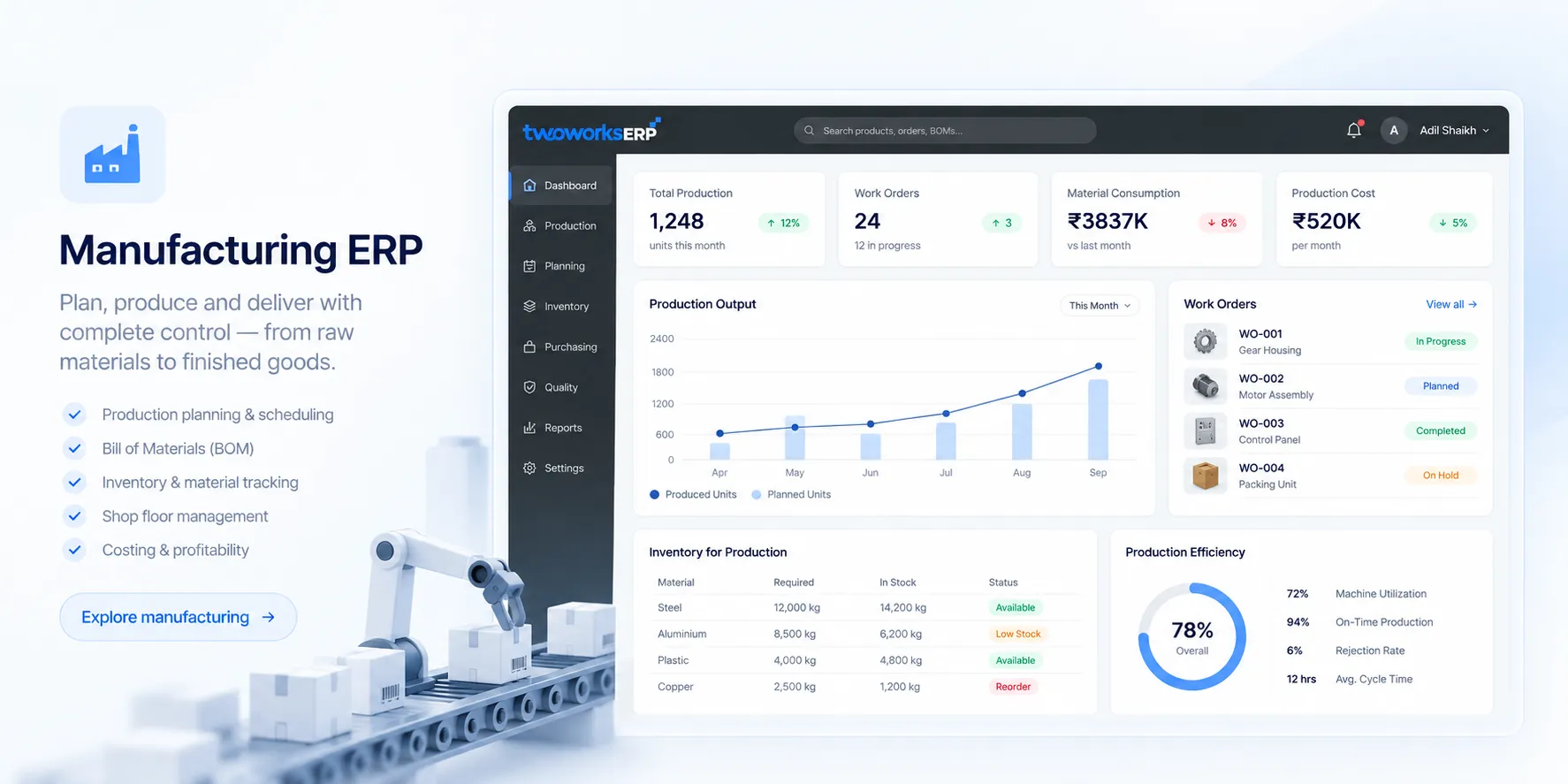
TwoWorks ERP is a unified platform built to connect a company's shop floor, warehouse, and back office in one system instead of stitching together separate tools for each function. Construction is one of the 12+ industry verticals named on the platform's site, alongside manufacturing, retail and trade, distribution and logistics, food and beverage, healthcare, textiles, and services.
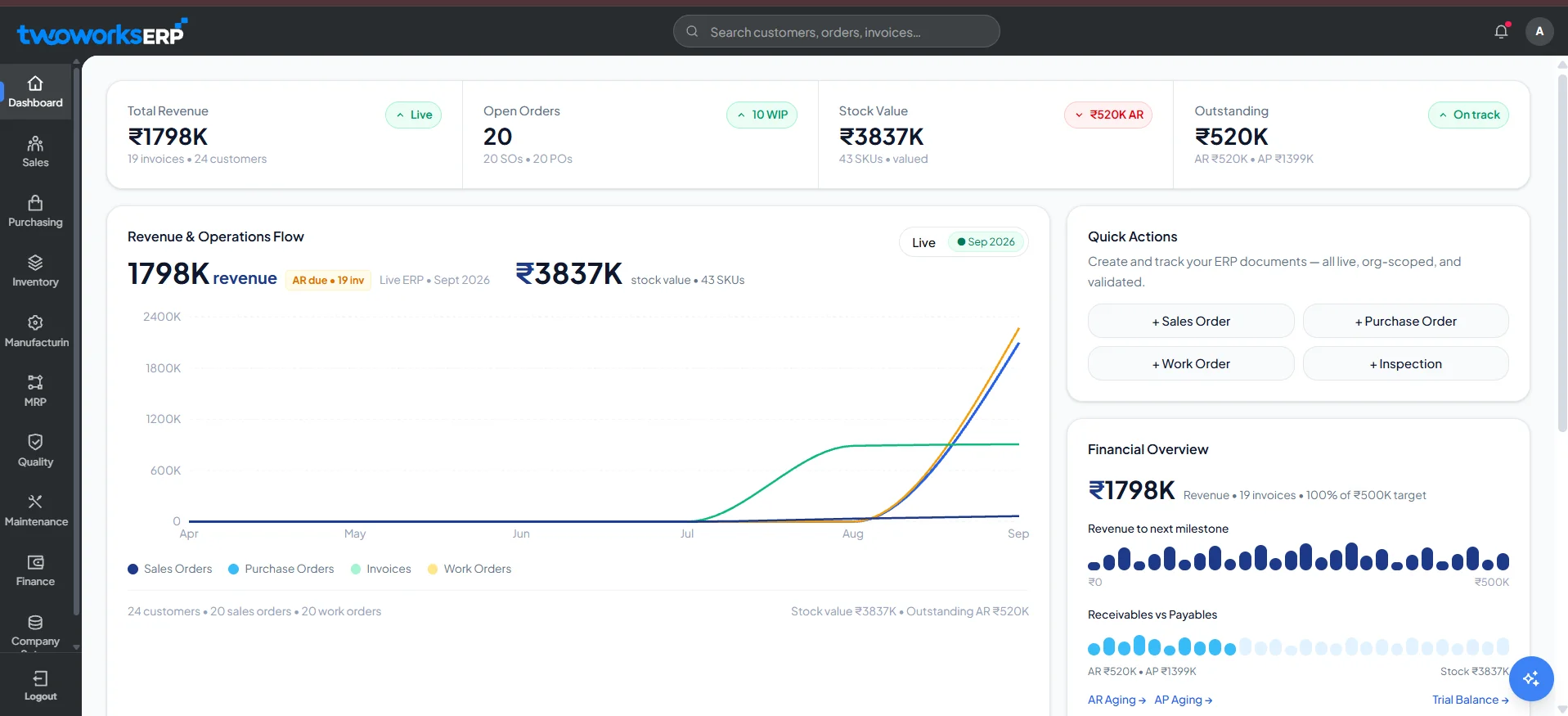
The platform ships with nine core modules: Sales & POS, Purchasing, Inventory & Warehouse, Manufacturing, MRP, Quality Management, Maintenance, Finance & Accounting, and Company Management. For a construction or contracting business, the combination that matters most is Purchasing (vendor management, purchase orders, delivery tracking, approval workflows), Inventory & Warehouse (multi-warehouse stock, batch and serial tracking, reorder points), and Finance & Accounting (double-entry accounting, chart of accounts, bank reconciliation, tax and compliance reporting).
MRP is worth calling out specifically. It plans material requirements, schedules based on availability, and can generate purchase orders automatically when stock drops below what a job needs. That's the difference between a procurement team reacting to shortages and one that sees them coming.
The Company Management module supports multi-branch and multi-company structures, with branch-specific warehouses, branch-specific accounts, and consolidated group-level visibility. For a contractor running multiple regional offices or legal entities, that consolidation is what keeps head office from chasing down numbers manually every month.
Pricing
Not publicly disclosed. TwoWorks quotes based on modules selected and business scope.
Best features
- Real-time inventory sync across multiple warehouses
- MRP with automated purchase-order generation when materials run short
- Double-entry accounting with bank reconciliation
- Multi-branch and multi-company structure with consolidated reporting
- Custom workflows configured without touching the core engine
Pros
- Covers procurement, inventory, and finance in one database, which removes the manual reconciliation that happens when those three run in separate tools
- Includes quality and maintenance modules, which most SMB-focused platforms in this category skip entirely
- Comes with dedicated one-to-one engineering support for architecture, data-schema customization, and workflow triggers rather than a self-serve-only rollout
- Supports both cloud/SaaS and on-premise deployment, so companies with specific data or infrastructure requirements have a path either way
Cons
- Pricing isn't published, so getting a real number requires a sales conversation
- Construction-specific functionality (AIA-style progress billing, retainage, certified payroll) is not itemized in public materials the way it is for platforms built exclusively for contractors
- Public documentation on AI capabilities and third-party integrations is limited right now, so those claims can't be independently verified beyond what the vendor states
Construction capabilities: Construction is listed as a named industry vertical, described on the platform's site as covering project and business operations. The Purchasing, Inventory, and Finance modules apply directly to contractor workflows around procurement, material tracking, and job-level accounting. Detailed construction-specific features like cost codes, AIA billing formats, and certified payroll are not itemized publicly.
Construction type: General contracting and distribution-adjacent construction operations, based on the modules available.
Company size: Small and mid-size businesses, based on the platform's stated positioning and the emphasis on configurable workflows over rigid enterprise structure.
Industries: Manufacturing, retail and trade, construction, distribution and logistics, food and beverage, healthcare, textiles and garments, and services and consulting. The vendor states the platform can be configured for industries beyond this list.
AI and automation: Not itemized in detail in public materials beyond the MRP module's automated purchase-order generation.
Integrations: Not publicly disclosed in detail.
Deployment: Cloud/SaaS and on-premise.
Implementation: The vendor states a standard deployment covering core modules typically takes 4 to 8 weeks, including data migration, user training, and go-live support. Timeline varies with the number of modules and business complexity.
India support: The platform's stated capabilities include audit logs and GST/e-invoicing support as part of its audit and compliance functionality. Specific GST return filing, e-way bill generation, or TDS handling are not itemized separately in public materials.
Official website: twoworks.co
2. CMiC
Best for: Enterprise general contractors and heavy civil firms that need every financial control in one database and can absorb a long, resource-heavy rollout to get it.
CMiC runs on what it calls a Single Database Platform, and that's the whole pitch. No separate accounting system feeding project management feeding a BI tool. One record of truth. The company states it serves roughly 25% of the ENR Top 400 Contractors and that customers on the platform manage over $100 billion in construction revenue annually.
The 2026 CMiC NEXUS release added more than 25 autonomous AI agents across the suite. This is one of the few platforms on this list where the AI does real work instead of just summarizing it. The system classifies drawings by sheet number, sorts spec books by CSI code automatically, and runs sentiment analysis on daily field journals to catch early warning signs of delays or safety issues before they show up in a report.
Where CMiC actually earns its enterprise reputation is the WIP schedule. Committed costs, estimated cost to complete, and labor burden all post straight to the general ledger, and over/under-billing calculates automatically. No spreadsheet reconciliation at month-end.
Pricing
Custom enterprise pricing. Structured around scope, transaction volume, and negotiated services.
Best features
- Automated WIP scheduling tied directly to the general ledger
- Over 25 AI agents (CMiC NEXUS) for drawing classification, spec organization, and field-journal analysis
- Multi-company intercompany accounting
- Enterprise equipment and inventory management
Pros
- The single-database architecture eliminates the reconciliation errors that happen when project managers and accounting work off separate systems
- AI agents execute classification and analysis tasks, not just flag them for review
- Deep regulatory and compliance tracking suited to heavy civil and infrastructure work
Cons
- The interface has a real learning curve compared to newer cloud-native platforms
- Implementation commonly runs 6 to 12 months and needs strong executive sponsorship
- Mobile field tools lag behind platforms built field-first, like Procore
- The scale of the system makes it a poor fit for smaller contractors
Construction capabilities: Committed-cost tracking, automated WIP and over/under-billing, dynamic change-order workflows that update billing downstream, pre-qualification and safety tracking, master cost code maintenance, and offline field data sync.
Construction type: General contractors, specialty subcontractors, civil and highway, heavy construction.
Company size: Enterprise, large contractors.
Industries: Commercial construction, heavy civil, infrastructure.
AI and automation: CMiC NEXUS runs 25+ agents live today, covering drawing classification, CSI-code spec organization, and sentiment analysis of field journals for early risk detection.
Integrations: Connects with external document management, resource scheduling, and modeling platforms.
Deployment: On-premise, private cloud.
Implementation: 6 to 12 months, requiring heavy database configuration and disciplined governance.
India support: Not publicly verified.
Official website: cmicglobal.com
3. Acumatica Construction Edition
Best for: Mid-market contractors who want every field employee, subcontractor, and office worker in the system without a per-seat bill that punishes them for it.
Acumatica's construction edition runs on consumption-based pricing tied to transactions, not user count. That one decision changes how contractors deploy it. Give 50 field workers, 10 subcontractors, and your whole back office access, and the price doesn't multiply the way it would on a per-seat platform.
The job costing engine tracks labor, material, and equipment in real time and codes transactions to single or multiple projects inside one ledger. Progress bills, whether percentage-of-completion or quantity-based, automatically fold in approved change orders and tax calculations, then generate AIA-format pay applications without a separate step.
Pricing
General Business Edition starts around $6,396/year for 10 users and 1,000 monthly transactions. Mid-sized construction firms running the full Construction Edition typically spend $25,000 to $50,000+ annually as transaction volume and modules scale up.
Best features
- Unlimited-user consumption pricing
- Real-time job costing across labor, material, and equipment
- Automated AIA pay application generation
- Integrated Field Service Edition
- Open API with native connectors to Procore, ProEst, and DocuSign
Pros
- No per-seat penalty means subcontractors and field crews can get real system access
- Role-based dashboards give real-time visibility without custom report-building
- Strong multi-company and intercompany accounting out of the box
Cons
- Adding modules like payroll or field service pushes the annual bill up quickly
- Implementation needs a certified partner, and configuration builds on a general business framework rather than a construction-only chassis
- Costs typically run $60,000 to $100,000+ to implement once integrations and data migration are factored in
Construction capabilities: Real-time job costing, subcontract and retainage management, RFI and submittal handling, daily field reporting, and progress billing that automatically incorporates change orders.
Construction type: General contractors, MEP, specialty trades, heavy civil, land developers.
Company size: SMB, mid-market.
Industries: Construction, distribution, manufacturing, retail.
AI and automation: Acumatica AI Assistant provides text suggestions and automated AP document recognition. This is document-extraction and workflow automation, not agentic execution.
Integrations: Procore, ProEst, DocuSign, Avalara, ShipStation, and major CRM platforms.
Deployment: Cloud (SaaS).
Implementation: Generally $60,000 to $100,000+, driven by job cost accounting complexity and integration mapping.
India support: Not publicly verified.
Official website: acumatica.com
4. Sage Intacct Construction
Best for: Finance-first construction businesses that want the deepest accounting engine on this list and are willing to pair it with a separate field tool.
Sage Intacct is the only financial management system with an AICPA endorsement, and that credibility is earned through its architecture. Instead of a rigid chart of accounts, it uses a dimensional general ledger, so finance teams can slice reporting by project, by fund, by location, without building a new account for every combination.
That's a real advantage for multi-entity contractors. Currency translation and intercompany eliminations across subsidiaries run automatically instead of through a manual consolidation process at quarter-end.
Where Intacct is honest about its limits: there's no native field operations layer. No daily logs, no drawing markups, no site photos. Contractors run it alongside Procore or a similar field tool, connected through the open API.
Pricing
Base subscription runs roughly $400 to $800/month for core financials. User licenses add $50 to $200/user/month depending on access level. Additional modules like project accounting or multi-entity consolidation add $100 to $500/month. Total annual cost for mid-market firms typically lands between $15,000 and $50,000, and complex enterprise deployments can reach $200,000.
Best features
- Dimensional general ledger for flexible project and entity reporting
- Automated multi-entity consolidation and currency translation
- Native ASC 606 revenue recognition
- Construction-in-Progress (CIP) asset management
- AI-powered AP document capture
Pros
- The only construction-relevant ERP with an AICPA endorsement, which matters for CPA-run finance teams
- API-first architecture makes pairing it with Procore, Autodesk, or another field tool straightforward
- Multi-entity currency and elimination automation is close to flawless according to user reports
Cons
- No native project management or field operations, so you're buying (and paying to integrate) a second system for site work
- Payroll requires an external vendor or a separate Sage HCM module
- Pricing configuration is opaque until you're in a sales conversation
Construction capabilities: Dimensional cost tracking by project, CIP asset tracking as capital spend is incurred, flexible AP retainage release across invoice lines, and dominant AP automation for vendor invoice matching.
Construction type: Commercial contractors, real estate developers.
Company size: SMB, mid-market.
Industries: Commercial construction, real estate development, professional services.
AI and automation: AI-powered AP invoice capture and natural-language data mapping through the Sage Intacct Import Service. This is document extraction and workflow automation, not agentic AI.
Integrations: Procore, Autodesk, Timberscan, Salesforce, ADP Workforce Now.
Deployment: Cloud (SaaS).
Implementation: 3 to 6 months. Costs typically run $15,000 to $50,000, with the dimensional model design phase being the critical step.
India support: Not publicly verified.
Official website: sage.com
5. Trimble Viewpoint Vista
Best for: Large, complex heavy civil and general contracting firms that need deep, highly customized accounting workflows and multi-union payroll across states.
Vista is the heavyweight in the Trimble Construction One stack. It centralizes accounting, HR, and project management into one customizable chassis, and it's the system of choice for contractors running complex, multi-state union payroll rules alongside massive equipment fleets.
Where Vista wins is data extraction. InfoLink and Crystal Reports let finance and ops teams build genuinely deep custom analytics, something a lot of newer cloud platforms still can't match.
Pricing
Core modules run $800 to $1,500/user annually. Advanced modules add $200 to $600/user. A 50-to-200-user deployment commonly runs $100,000 to $400,000+ in first-year total cost.
Best features
- Deep job cost accounting with on-demand drill-downs
- Multi-state, multi-union payroll
- Custom reporting via InfoLink and Crystal Reports
- Connected materials and equipment management
Pros
- Best-in-class for extremely complex, large-scale construction financials
- Deep data extraction supports advanced analytics most competitors can't touch
- Strong equipment cost, utilization, and maintenance tracking
Cons
- The legacy interface takes real time to learn compared to modern SaaS platforms
- Implementation needs dedicated internal IT and strong governance
- Implementation services alone commonly run 30% to 60% of the first-year software cost
Construction capabilities: Real-time budget, change order, and cost tracking with on-demand drill-downs; automated change order and billing workflows; complex subcontractor agreement management; and multi-state, multi-union certified payroll.
Construction type: General contractors, heavy civil, infrastructure, modular construction.
Company size: Mid-market, enterprise.
Industries: General contracting, heavy civil, infrastructure, manufacturing.
AI and automation: Automatic invoicing that converts PDF invoices into validated entries with minimal manual input. This is document extraction, not agentic AI.
Integrations: Trimble Connect, SketchUp, ProjectSight, Followup CRM.
Deployment: Cloud, on-premise, hybrid.
Implementation: Lengthy and tailored to enterprise requirements. Implementation services frequently run 30% to 60% of first-year software cost.
India support: Not publicly verified.
Official website: trimble.com/en/products/viewpoint/vista
6. Trimble Viewpoint Spectrum
Best for: Mid-market contractors and mechanical service companies that want a browser-based system without Vista's implementation weight.
Spectrum is Trimble's modern answer to Vista: same construction-accounting DNA, a browser-based split-screen interface built for faster data entry. It's a strong fit for contractors juggling both project construction and ongoing service or maintenance contracts, since it handles both in one place.
Pricing
Same structure as Vista, $800 to $1,500/user for core ERP, $200 to $600/user for advanced modules. A 50-user deployment typically runs $150,000 to $400,000 in first-year total cost.
Best features
- Split-screen web interface for faster data entry
- Real-time job costing and profitability tracking
- Service and maintenance contract management
- Multi-union payroll automation
Pros
- Consistent, easier-to-learn navigation than Vista across all modules
- Needs less internal IT overhead to run
- Strong fit for contractors managing both project work and service contracts
Cons
- Advanced custom reporting still requires Crystal Reports skills
- Some users report lag in projected-cost updates and labor cost syncing
- Performance can slow down when working across many open projects at once
Construction capabilities: Cost allocation and profitability tracking by job, master and sub-job structuring across locations, milestone and progress billing, and organized vendor invoice tracking with digital approvals.
Construction type: General contractors, specialty contractors, service providers (especially MEP).
Company size: SMB, mid-market.
Industries: Construction, mechanical and service contracting.
AI and automation: Automated payroll and HR compliance workflows. This is process automation, not agentic AI.
Integrations: Trimble ecosystem tools, Followup CRM.
Deployment: Cloud (SaaS).
Implementation: Faster than Vista, though services still typically run 30% to 60% of initial software cost.
India support: Not publicly verified.
Official website: trimble.com/en/products/viewpoint/spectrum
7. Jonas Construction Software
Best for: Mechanical, HVAC, and other specialty contractors who need construction accounting and field service dispatch running as one system, not two.
Jonas built its whole case around one gap: contractors doing both project work and service calls usually run separate software for each. Jonas Enterprise handles both, so a dispatcher, an accountant, and a project manager are all looking at the same data.
Pricing
Jonas Enterprise starts at $200/user/month. Final cost scales with which modules (Financial, Management, Analytics, Document) you turn on.
Best features
- Integrated work order and dispatch scheduling
- Core construction accounting with union payroll
- Inventory and equipment tracking
- Mobile dispatch ticketing with GPS routing
Pros
- True all-in-one design removes the need for a separate accounting package
- Purpose-built tools for service-heavy trades like HVAC and plumbing
- Flat-rate per-user pricing is predictable
Cons
- The Enterprise interface feels dated next to AI-native competitors
- Implementation commonly takes several months to a full year
- Native AI and machine learning automation lags behind newer entrants on this list
Construction capabilities: Job costing tied to cost-to-completion tracking, quoting and job planning against budget, Gantt-based scheduling, milestone tracking, and change order controls linked to billing.
Construction type: Mechanical, HVAC, electrical, specialty trades.
Company size: SMB, mid-market.
Industries: Mechanical and specialty contracting, field service.
AI and automation: Concentrated in business intelligence and reporting workflows rather than generative AI or predictive modeling.
Integrations: API access for third-party connections, though Jonas is designed to function as a standalone system.
Deployment: Desktop, cloud.
Implementation: Several months to a year, through certified partners.
India support: Not publicly verified.
Official website: jonasconstruction.com
8. Procore
Best for: Project-centric general contractors and owners who need the strongest field collaboration and document control on the market, paired with a separate accounting backend.
Procore isn't a financial ERP on its own; it doesn't have a general ledger or native payroll. It's the industry-standard construction management platform, and its financial modules are built to sync with a real accounting system like Sage Intacct or Viewpoint rather than replace one. Its market position and expanding project-financial tools make it impossible to leave out of a serious ERP comparison, because most contractors running a "construction ERP" today are actually running two systems: Procore in the field, and an accounting ERP behind it.
Where Procore dominates is unlimited-user access. Subcontractors, architects, and owners all get into the platform without a per-seat fee, which is exactly what collaborative field workflows need.
Pricing
Custom, based on Annual Construction Volume (ACV) and modules selected. Smaller operations report $15,000 to $30,000/year. Mid-size firms typically pay $30,000 to $80,000+/year. Contracts renew annually, and users commonly report 10% to 15% renewal increases.
Best features
- Drawing and document management with version control
- RFI and submittal tracking
- Site inspections and quality checklists
- External stakeholder portal (owners, subs, architects) at no added seat cost
- Field-first mobile app with offline support
Pros
- Unlimited-user pricing gets the whole project team, including subcontractors, into one system
- The mobile field experience sets the bar the rest of this list gets measured against
- Massive integration marketplace connects to nearly every ERP on this list
Cons
- No native general ledger or payroll, so it must be paired with a real accounting ERP
- Pricing is opaque and subject to steady annual increases
- First-year total cost, including implementation, can reach 2 to 2.5x the subscription alone
Construction capabilities: Budget and prime contract tracking (synced back to a master accounting system), bid management, field-change-to-prime-contract change order generation, vendor bid and RFI portals, and offline-capable field data capture.
Construction type: General contractors, specialty contractors, owners.
Company size: All sizes.
Industries: Commercial construction.
AI and automation: AI-assisted document management that reduces manual paperwork, with expanding predictive analytics for safety and quality. This is workflow automation and pattern detection, not agentic execution.
Integrations: Sage, Acumatica, Viewpoint, NetSuite, and most major ERPs.
Deployment: Cloud (SaaS).
Implementation: Estimated at $50,000 to $150,000+ for larger enterprise rollouts.
India support: Not publicly verified.
Official website: procore.com
9. DesignFlow Build
Best for: Tech-forward general and specialty contractors who want AI doing the manual work of takeoff and scheduling, not just narrating it on a dashboard.
DesignFlow Build's whole pitch is speed to value. Instead of a months-long implementation, it's built for self-serve onboarding, and the AI is wired into the actual production workflow rather than bolted on as a chatbot. It generates a bill of quantities straight from uploaded blueprints, accelerates estimating, and builds a CPM schedule automatically.
That last part deserves a specific callout. The platform runs Monte Carlo schedule risk analysis, essentially thousands of simulated project runs, to flag where a schedule is statistically likely to slip before it happens.
Pricing
$100/month per office user, $25/month per field user. A free plan and a 14-day Pro trial are available without a sales call.
Best features
- AI blueprint takeoff (generates a bill of quantities from plan sets)
- AI-assisted estimating
- Automated CPM schedule generation
- Monte Carlo schedule risk simulation
- Native construction accounting
Pros
- Live in 2 to 4 weeks, without the consulting overhead most platforms on this list require
- AI is applied to core workflows (takeoff, estimating, scheduling), not just dashboards, cutting manual data entry and takeoff time substantially according to the vendor
- Transparent, published per-seat pricing with a free trial lowers the risk of evaluating it
Cons
- Doesn't carry the decades of market presence and reference base that Viewpoint or Jonas has
- Multi-union dispatch complexity for large field-service organizations isn't demonstrated at the depth older platforms offer
Construction capabilities: Native job cost general ledger and AR/AP built around construction cost structures, AI-driven quantity extraction from drawings, automated DCMA 14-point schedule assessments, look-ahead and pull-planning workflows, and change order management tied directly into ASC 606 revenue recognition.
Construction type: General contractors, specialty contractors.
Company size: SMB, mid-market.
Industries: Construction.
AI and automation: AI blueprint takeoff, AI-assisted bid day automation, and Monte Carlo schedule risk analysis running up to 10,000 simulated schedule runs. These are live production features, not roadmap items, according to the vendor.
Integrations: Open API for broader ecosystem connections.
Deployment: Cloud (SaaS).
Implementation: Self-serve onboarding, typically live in 2 to 4 weeks.
India support: Not publicly verified.
Official website: designflow-build.com
10. ERPNext
Best for: Cost-conscious contractors and Indian construction businesses that need a fully open-source ERP with native statutory compliance.
ERPNext, built on the Frappe framework, is the rare entry on this list with zero licensing cost if you self-host it. It covers accounting, HR, payroll, and project tracking, and while it wasn't purpose-built for construction, it's flexible enough to be configured for project-based cost tracking with the right implementation partner.
Where it genuinely stands out for this list is India. Native support for GST (CGST, SGST, IGST), e-invoicing, e-way bills, TDS (including Section 51 of the CGST Act), and Indian payroll components like EPF is built in, not bolted on through a third party.
Pricing
Free and open-source for self-hosting. Managed Frappe Cloud hosting is available on tiered subscriptions; exact 2026 pricing across every tier isn't publicly listed in full, but a free trial is available.
Best features
- Native India GST, TDS, and e-way bill compliance
- Open-source customization through the Frappe framework
- Unified accounting, HR, and project tracking
- Built-in inventory and manufacturing workflows
Pros
- No proprietary per-user licensing lock-in
- The strongest native Indian statutory compliance of any platform on this list
- Highly adaptable to unusual workflows since the underlying code is open
Cons
- No out-of-the-box construction features like AIA billing formats; change orders and progress billing have to be custom-mapped from standard sales/purchase order workflows
- Requires real internal IT capability or a paid consultant to configure for construction job costing specifically
- Support depends heavily on the open-source community unless you're on a paid enterprise tier
Construction capabilities: Project-level cost tracking against budgets, integrated purchasing and inventory for material flow, and a full general ledger with AR/AP and asset management. Construction-specific formats like AIA billing require custom configuration.
Construction type: General contracting, project-based businesses.
Company size: Startups, SMBs, mid-market.
Industries: General business, contracting, manufacturing.
AI and automation: Rule-based workflow automation native to the Frappe framework. Generative AI depends on custom API integration; nothing construction-specific ships natively.
Integrations: REST API for third-party connections, though without pre-built construction connectors like Procore's.
Deployment: Cloud, on-premise (open source).
Implementation: Speed depends entirely on internal IT resources or hired consultants mapping construction processes onto the framework.
India support: Exceptional and native: GST, e-invoicing, e-way bills, TDS, and Indian payroll elements are built in.
Official website: erpnext.com / frappe.io
11. eresource NFRA
Best for: Civil contractors, EPC firms, and infrastructure companies that need multi-level BOQ estimation and unlimited users on one flat fee.
eresource NFRA is pre-configured for contracting workflows out of the box, which the vendor says cuts customization time compared to a generic ERP. It states it serves over 500 contractors across 25+ countries. The standout here is the pricing model: a flat fee with unlimited users, which matters enormously for infrastructure projects where dozens of site engineers, quantity surveyors, and foremen all need access.
The platform also runs machine learning models trained on historical project data to forecast cost-to-complete and model cash flow with statistical confidence intervals, rather than a single-point guess.
Pricing
Flat fee with unlimited users. Specific figures aren't publicly listed.
Best features
- Multi-level BOQ (Bill of Quantities) estimation
- Earned Value Management (EVM)
- ML-based cost-to-complete and 90-day cash flow forecasting
- Site store management with QR/barcode issuance
Pros
- Unlimited-user flat-fee pricing scales efficiently for large infrastructure crews
- ML forecasting for cash flow and BOQ risk goes beyond static reporting
- No-code customization lets it adapt to Civil, MEP, or EPC workflows without a development team
Cons
- The feature depth may be more than a small residential builder needs
- Smaller global brand presence and third-party integration ecosystem than SAP-scale competitors
Construction capabilities: Real-time variance reporting against material and labor budgets, auto-generated BOQs from estimation data, Gantt-based scheduling with delay tracking and EVM, strict variation order and retention management, and a dedicated mobile app for site engineers to log progress and raise material requisitions.
Construction type: Civil contractors, EPC projects, infrastructure, real estate development.
Company size: Mid-market, enterprise.
Industries: Civil construction, infrastructure, real estate.
AI and automation: Machine learning models forecast cost-to-complete and cash flow using historical project data, and flag underperforming subcontractors. This is predictive analytics, not agentic execution.
Integrations: API available, though the system is designed primarily for internal module cohesion.
Deployment: Cloud, mobile.
Implementation: Pre-configured for contractor workflows, which the vendor states shortens deployment versus a generic ERP requiring heavy customization.
India support: Not formally verified in public documentation, though the platform is frequently used in the Indian market.
Official website: eresourceerp.com
12. ZYNO Construction
Best for: Construction businesses running multiple active sites that want tendering, scheduling, procurement, and billing consolidated into one platform.
ZYNO, built by EliteMindz, connects project planning, cost control, procurement, billing, equipment, and vendor management into a single environment. It's a narrower, more construction-specific tool than a full financial ERP, aimed at improving visibility across a multi-site portfolio rather than replacing enterprise-grade accounting.
Pricing
Custom, structured around user roles (office, site, finance, procurement), number of active sites, and module selection.
Best features
- Tendering and estimation
- Project planning and scheduling
- Equipment management
- Multi-site consolidation and reporting
Pros
- Consolidates scattered construction workflows into one environment instead of five disconnected tools
- Modular pricing means you pay only for the modules you actually use
- Gives strong visibility across a multi-project, multi-entity portfolio
Cons
- No public pricing, so evaluating cost requires a vendor conversation
- May need more manual configuration for highly specialized niche workflows than a hyper-focused point solution would
Construction capabilities: Budgeting and cost control integrated with procurement, tendering and estimation modules, centralized project planning dashboards, and billing tied directly to project milestones.
Construction type: General contractors, multi-project construction businesses.
Company size: SMB, mid-market.
Industries: General contracting.
AI and automation: Not publicly disclosed.
Integrations: Not publicly disclosed.
Deployment: Cloud.
Implementation: Timeline depends on initial module selection and the number of active sites or legal entities being onboarded.
India support: Developed with the Indian market in mind by EliteMindz, though specific statutory integrations are customized per client.
Official website: elitemindz.co
Construction ERP comparison table
| Rank | ERP | Best For | Starting Price | Construction Strength | Company Size | Deployment |
|---|---|---|---|---|---|---|
| 1 | TwoWorks ERP | Growing operational businesses needing one connected system | Not publicly disclosed | Purchasing, inventory, and finance in one database | SMB | Cloud / On-premise |
| 2 | CMiC | Enterprise general and specialty contractors | Custom enterprise pricing | AI-native single-database financials | Enterprise | On-premise / Private cloud |
| 3 | Acumatica Construction Edition | Mid-market growth contractors | ~$6,396/year base (consumption) | Transaction-based cloud job costing | SMB, mid-market | Cloud (SaaS) |
| 4 | Sage Intacct Construction | Finance-first construction businesses | ~$400-$800/mo base + user fees | Multi-entity dimensional accounting | SMB, mid-market | Cloud (SaaS) |
| 5 | Trimble Viewpoint Vista | Large, complex heavy civil and GCs | $800-$1,500/user/year (core) | Deep custom accounting workflows | Mid-market, enterprise | Cloud, on-premise |
| 6 | Trimble Viewpoint Spectrum | Mid-market contractors and service | $800-$1,500/user/year (core) | Browser-based UI and union payroll | SMB, mid-market | Cloud (SaaS) |
| 7 | Jonas Construction Software | Mechanical and specialty contractors | $200/user/month | Integrated service and dispatch | SMB, mid-market | Desktop, cloud |
| 8 | Procore | Project-centric GCs and owners | Custom ACV (est. $15K-$80K+/yr) | Field mobility and collaboration | All sizes | Cloud (SaaS) |
| 9 | DesignFlow Build | Tech-forward contractors seeking AI | $100 office / $25 field per month | AI blueprint takeoff and CPM scheduling | SMB, mid-market | Cloud (SaaS) |
| 10 | ERPNext | Open-source and Indian contractors | Free (self-hosted) / custom cloud | Custom workflows, local compliance | All sizes | Cloud, on-premise |
| 11 | eresource NFRA | Civil, EPC, and infrastructure | Flat fee, unlimited users | Multi-level BOQ and ML project controls | Mid-market, enterprise | Cloud, mobile |
| 12 | ZYNO Construction | Single-platform multi-site tracking | Custom pricing | Tendering, scheduling, billing | SMB, mid-market | Cloud |
How to choose the right construction ERP
Skip the generic advice about "considering your budget and needs." Here's what actually moves the decision:
1. Count your active projects and users, not just your revenue. A company running three large jobs a year has different needs than one running 40 small ones. If you've got a lot of field staff who each need light system access (clocking in, submitting a daily log), a consumption-based platform like Acumatica beats a per-seat platform on cost by a wide margin.
2. Decide if you need one system or two. Procore is the strongest field and document tool on this list, but it has no general ledger. If field collaboration matters more than accounting depth, pair it with Sage Intacct or a similar backend and budget for the integration. If you want job costing, procurement, and finance in one database from day one, look at CMiC, Acumatica, Vista, Spectrum, or TwoWorks instead.
3. Match payroll complexity to the platform. Multi-state union payroll and certified payroll for prevailing-wage work are handled natively by Vista, Spectrum, and CMiC. Most other platforms on this list need a third-party payroll add-on.
4. Check whether the AI is doing work or narrating it. CMiC's agents classify drawings and flag risk from field journals. DesignFlow Build's AI performs takeoff and generates schedules. Most of the rest of this list uses AI for document capture and dashboard summaries, which is still useful, just a different category of value.
5. Get real numbers on total cost of ownership before you sign anything. The subscription price is the smallest number in the deal for most of these platforms. Implementation services frequently run 30% to 60% of first-year software cost for enterprise systems. If your field tool and accounting backend are separate products, budget $8,000 to $12,000 a year just for the API connectors linking them.
6. If you're in India, ask about GST, TDS, and e-way bills by name. Don't assume compliance because a vendor operates in India. Ask which of those three are native, which require an integration, and which aren't handled at all.
7. Weigh implementation resources honestly. Independent research consistently puts ERP implementation failure or major budget overrun rates at 50% to 75%. That's rarely the software's fault. It's a lack of change management, a bad data migration plan, or underestimating what a rollout actually takes internally.
Construction ERP pricing: what to expect
Pricing on this list falls into four rough models.
Per-user subscription. Vista, Spectrum, Sage Intacct, and Jonas price this way. The bill scales directly with headcount, so it's predictable but can get expensive fast once you add field staff.
Consumption or transaction-based. Acumatica is the clearest example. You pay for what you actually use (transaction volume, storage), not per seat, which rewards giving broad system access to field crews and subcontractors.
Flat fee, unlimited users. eresource NFRA runs this model, which is unusually favorable for infrastructure projects with large, rotating site crews.
Custom enterprise quote. CMiC, ZYNO, and most enterprise deals get negotiated individually based on scope, modules, and transaction volume. TwoWorks also falls here, with pricing set per business scope rather than published.
Whichever model you're looking at, budget for costs beyond the subscription line:
- Implementation and configuration services, commonly 30% to 60% of first-year software cost on enterprise platforms
- Data migration from your existing accounting system or spreadsheets
- User training and change management
- API connectors between separate systems (a field tool and an accounting backend, for example), which can run $8,000 to $12,000 a year in web-services licensing alone
- Annual renewal increases. Contracts on platforms like Procore commonly see 10% to 15% renewal increases, so negotiate a multi-year price lock before signing
Construction ERP vs. construction management software
These two categories get used interchangeably, and that causes real confusion when contractors shop.
A construction ERP handles the financial and operational core: job costing, the general ledger, procurement, payroll, and revenue recognition. It's the system of record for money.
Construction management software, the category Procore leads, handles project execution in the field: RFIs, submittals, drawing markups, daily logs, and punch lists. It's the system of record for the work itself.
Some platforms blur the line. CMiC, Acumatica, and Vista bundle real project management into the same database as their accounting. Others, like Procore, deliberately stay out of the general ledger and expect to be paired with a dedicated accounting ERP. Neither approach is wrong. The question is whether your business wants one system doing both jobs, or two specialized systems connected through an integration.
ERP for small construction companies vs. enterprise construction firms
Company size changes almost every requirement.
Small contractors typically need job costing, basic progress billing, and procurement, without the multi-entity consolidation or agentic AI that enterprise platforms build for. DesignFlow Build's self-serve onboarding and transparent per-seat pricing, ZYNO's modular structure, and ERPNext's zero-licensing-cost self-hosted option all fit here. TwoWorks fits too, for a small or mid-size operation that wants purchasing, inventory, and finance connected without enterprise-scale complexity.
Mid-market contractors start needing multi-project cost consolidation, subcontract compliance tracking, and often multi-state payroll. Acumatica, Sage Intacct, Spectrum, and Jonas are built for this range specifically.
Enterprise contractors, particularly ENR Top 400-scale general contractors and heavy civil firms, need multi-union certified payroll, deep intercompany accounting, and the governance to run a 6-to-12-month implementation. CMiC and Vista are built for that scale, and the cost and complexity reflect it.
ERP for construction companies in India
Indian construction businesses have a specific compliance list to check before signing anything: GST invoicing, e-invoicing, e-way bill generation, TDS (including Section 51 of the CGST Act for government-adjacent contracts), and multi-state operations reporting.
Of the platforms in this guide, ERPNext has the deepest native support for all of it: GST (CGST, SGST, IGST), e-invoicing, e-way bills, and TDS are built into the core product, not layered on through a third party.
TwoWorks lists audit logs and GST/e-invoicing support among its platform capabilities, with construction named as one of its supported industries, though detailed GST-return or TDS handling isn't itemized separately in public materials. ZYNO was built by EliteMindz with the Indian market in mind, though its specific statutory integrations are customized per client. eresource NFRA is widely used in the Indian construction and EPC market, though its GST and TDS handling aren't formally documented in public materials.
For the rest of the platforms on this list (CMiC, Acumatica, Sage Intacct, Vista, Spectrum, Jonas, Procore, DesignFlow Build), India-specific compliance isn't publicly verified. That doesn't mean it's unavailable. It usually means it runs through a local implementation partner or a third-party tax add-on rather than shipping natively. Ask directly before assuming either way.
Sources
- Official vendor websites and product pages (CMiC, Acumatica, Sage, Trimble Viewpoint, Jonas, Procore, DesignFlow Build, ERPNext, eresource NFRA, ZYNO/EliteMindz, TwoWorks), accessed 2026
- TwoWorks ERP official platform documentation and product page
- ASC 606 / IFRS 15 revenue recognition standards (five-step model, percentage-of-completion method)
- Construction software market sizing and CAGR estimates, 2026 industry reporting
- Independent research on ERP implementation cost overrun and failure rates
- Industry data on construction business failure rates tied to cash flow management
Pricing, feature sets, and AI capabilities change often in this market. Confirm current numbers directly with each vendor before making a purchasing decision.